If you are searching for the Klaviyo abandoned cart flow official setup, you are probably trying to recover customers who added products to their cart or started checkout but left without buying.
Klaviyo makes this relatively simple with pre-built abandoned cart flows. The important part is configuring the right trigger, purchase filter, timing, and dynamic product content. This guide shows you how to set it up without making the flow unnecessarily complicated.
What Is the Klaviyo Abandoned Cart Flow?
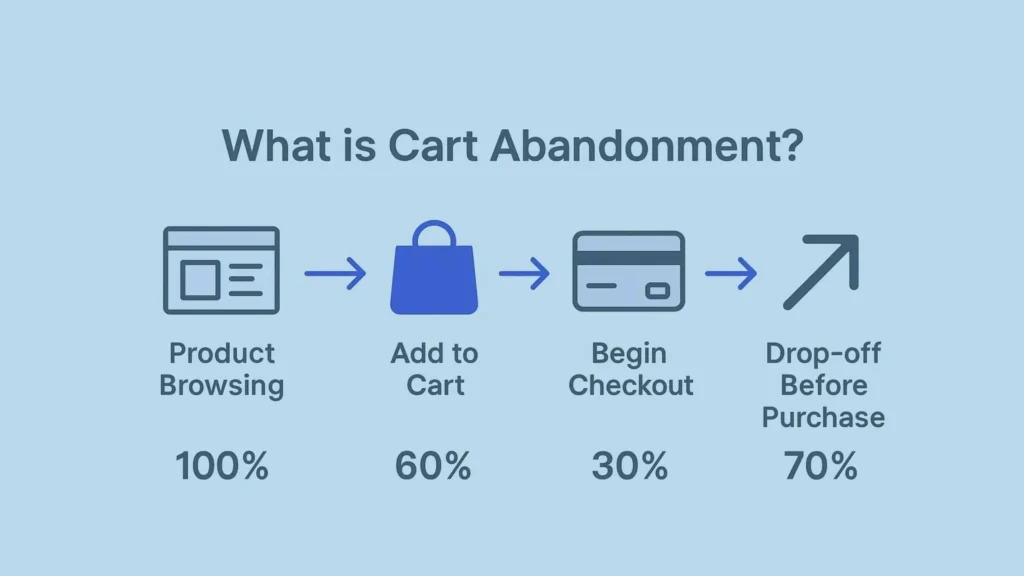
A Klaviyo abandoned cart flow automatically sends messages to shoppers who leave products behind without completing their purchase. The standard flow commonly uses the Started Checkout event. For Shopify, you can also create an Added to Cart flow to reach customers earlier in the buying journey.
The basic process is:
Customer starts checkout → Klaviyo detects the event → purchase filter checks for an order → reminder email is sent → customer returns or continues through the flow.
Klaviyo recommends using its pre-built flow when possible because it already includes much of the required structure and dynamic content.
How to Set Up the Official Klaviyo Abandoned Cart Flow
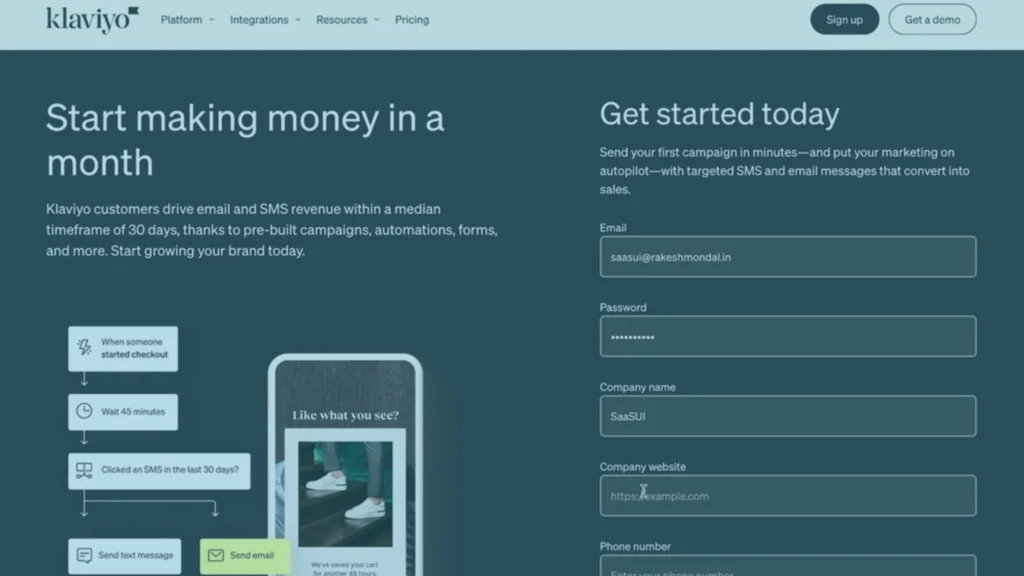
You can start with Klaviyo’s Flow Library instead of building everything manually.
- Open the Flow Library: Go to Flows in your Klaviyo account and look for the abandoned cart flow available for your ecommerce platform.
- Choose the Trigger: For the standard abandoned checkout flow, use; Started Checkout. If you want to target shoppers who added products but never reached checkout, Shopify users can also use Added to Cart
- Add a Purchase Filter: This is one of the most important settings. Your flow should check whether the customer has already placed an order. A common configuration is:
- Placed Order → zero times → since starting this flow
- Without this filter, a customer could purchase and still receive an abandoned cart reminder.
- Set Your Time Delay: Give customers enough time to complete the purchase before sending a reminder. The ideal timing depends on your product and buying cycle. A low-cost product may need a different sequence from an expensive product that requires more consideration.
- Customize the Email: Your email should include
- The product the customer abandoned
- Product image and information
- A clear return-to-cart CTA
- Relevant benefits or trust signals
- Simple, useful copy
Klaviyo’s official documentation recommends customizing the pre-built flow rather than unnecessarily rebuilding the entire automation.

Started Checkout vs. Added to Cart
These triggers target different stages of the buying journey.
| Trigger | Best For |
|---|---|
| Started Checkout | Customers with stronger purchase intent |
| Added to Cart | Customers who abandoned earlier |
If your goal is to focus on high-intent shoppers, Started Checkout is usually the logical starting point. If you want to reach shoppers earlier, an Added to Cart flow can be useful.

What Is Klaviyo Abandoned Cart Code?
The term Klaviyo abandoned cart code usually refers to the dynamic template code used to pull product information from the event that triggered the flow. Instead of creating a separate email for every product, Klaviyo can dynamically display information such as:
- Product name
- Product image
- Price
- Product URL
- Quantity
- Other event data
This means one email can work for thousands of different products.
Read More About: How to Connect Klaviyo to Shopify: Complete Setup Guide
Do You Need to Write the Code Yourself?
Usually, no. If you are using a supported ecommerce integration and Klaviyo’s pre-built abandoned cart flow, the dynamic product section is already configured. Manual coding is mainly useful when you need advanced customization, such as changing how products are displayed or adding custom logic.
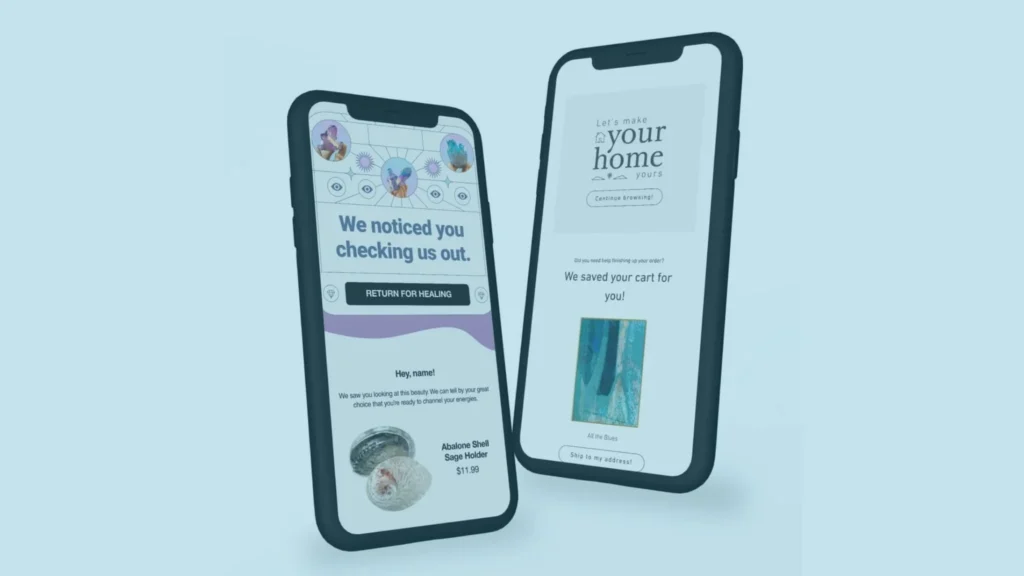
Klaviyo Abandoned Cart Email Templates
A good abandoned cart sequence should give every email a specific purpose rather than repeating the same message.
| Purpose | Example CTA | |
|---|---|---|
| Email 1 | Remind the customer | Return to Cart |
| Email 2 | Address objections | Complete Your Order |
| Email 3 | Create a final reason to act | Finish Checkout |
Email 1: Simple Reminder
Keep the first message straightforward.
Subject: Still thinking it over? Remind the customer what they left behind and make returning to checkout easy. You normally do not need to offer a discount immediately.
Email 2: Remove Doubts
The second email can answer common buying objections.
Depending on your business, discuss:
- Shipping
- Returns
- Product quality
- Warranty
- Reviews
- Product benefits
For example, a clothing store could highlight its return policy, while a furniture store could explain its warranty and delivery options.
Email 3: Final Reminder
Your final message can create urgency if there is a legitimate reason to act.
You could use:
- Free shipping
- A limited-time offer
- A carefully controlled discount
- Genuine stock limitations
Avoid fake urgency. If the offer does not actually expire, don’t tell customers that it does.
Should You Offer a Discount?
Not necessarily. Giving every customer a discount can reduce your margins and teach shoppers to abandon their carts deliberately. A better approach is to test your sequence.
Start with:
Reminder → Objection handling → Final incentive
Then compare the results. If a discount improves conversions enough to justify the lost margin, it may be worth using for selected customers.

Common Klaviyo Abandoned Cart Flow Official Mistakes
No Purchase Filter
- A customer purchases and still receives abandonment emails.
- Fix: Add the appropriate Placed Order flow filter.
Duplicate Abandoned Cart Emails
- Shopify or another platform may continue sending its own abandoned cart emails while Klaviyo is also active.
- Fix: Check your existing automations before activating the Klaviyo flow.
Discounting Too Early
- A discount should not be your automatic first response.
- Fix: Test reminder and objection-based messaging first.
Broken Dynamic Product Content
- If the product image, name, price, or link is incorrect, the email loses much of its value.
- Fix: Send test events and verify the dynamic content before going live.
Ignoring Mobile
Make sure the email, product block, and CTA work properly on smaller screens.
How to Improve Your Abandoned Cart Flow
Once the basic flow is working, look at the data instead of immediately adding more emails.
Check:
- Open rate
- Click rate
- Placed order rate
- Revenue
- Unsubscribe rate
- Performance by email
You can also segment customers based on factors such as:
First-time vs. returning customers
- Cart value
- Previous purchases
- Product category
For example, a returning customer with several previous orders may need much less persuasion than a first-time shopper. The goal is not to make the flow complicated. It is to make the message more relevant.
Could GoHighLevel Be Useful for Your Marketing Automation?
Klaviyo is particularly useful for ecommerce email and customer lifecycle marketing. But if your business also needs CRM, lead management, SMS, pipelines, appointments, and broader marketing automation, GoHighLevel is another platform worth considering.

Powered by GoHighLevel
GoHighLevel is the all-in-one platform turning disconnected marketing stacks into clean, automated, revenue-generating systems, and as proud GHL partners, Collabor8 Digital builds and manages it for businesses that are serious about scaling. One platform. Complete visibility. Zero leads lost.
The right platform depends on the customer journey you need to manage. Klaviyo can be an excellent choice for ecommerce-focused retention, while GoHighLevel can make sense when your automation needs extend beyond ecommerce email.
What is the official Klaviyo abandoned cart flow?
It is an automated flow that contacts shoppers who abandon a checkout or, depending on the setup, add products to their cart without completing a purchase.
What trigger does Klaviyo use for abandoned cart?
The standard abandoned checkout flow commonly uses Started Checkout. Shopify can also support an Added to Cart abandoned cart flow.
What is Klaviyo abandoned cart code?
It is dynamic template logic that allows Klaviyo to pull information from the customer’s cart or checkout event and display the relevant products inside the email.

Talk To Our Klaviyo Email Marketing Experts
Your email list is an asset. Right now, it’s either making you money every month, or it’s sitting idle while your competitors’ lists are working for them. A free strategy call with our Klaviyo email marketing team takes 30 minutes and gives you a clear picture of exactly what your Klaviyo account should be doing and what it’s currently missing.
Final Thoughts
The Klaviyo abandoned cart flow official setup does not need to be complicated. Start with the pre-built flow, use the correct trigger, add a purchase filter, test your dynamic product content, and create emails that address the customer’s reason for leaving.
Once the basics are working, use your data to improve timing, segmentation, messaging, and incentives.
For businesses that want more than basic automation, the bigger opportunity is connecting abandoned cart recovery with the rest of the customer journey, including welcome, post-purchase, retention, and win-back campaigns. That is where a properly planned lifecycle marketing strategy can make a much bigger difference.