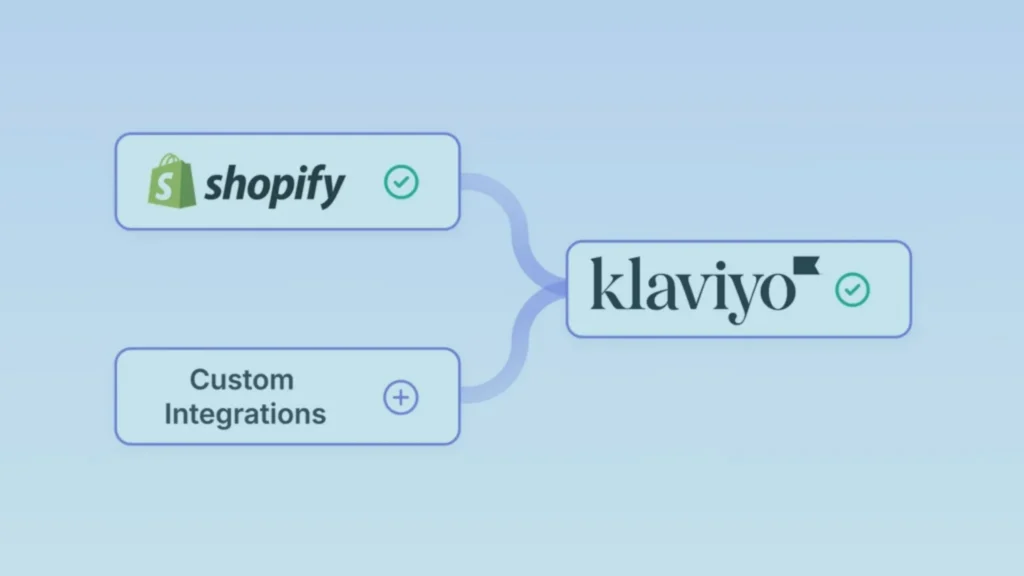
If you’re selling online, you know that every customer email matters. Connecting Klaviyo to Shopify is one of the highest-ROI integrations you can make; it gives you sophisticated email marketing, SMS, and customer data automation without constantly switching between tools.
This guide walks you through the entire process, from initial setup to best practices that actually drive revenue.
Key Takeaways
- Klaviyo and Shopify integration takes fewer than 10 minutes to set up and requires no coding
- Connecting these platforms lets you segment customers by purchase behavior, automatically send recovery emails, and build dynamic email sequences
- Klaviyo outperforms Mailchimp for Shopify stores because it’s specifically built for ecommerce and offers native SMS, predictive analytics, and higher deliverability
- The most common mistake is failing to segment your audience, which leaves money on the table
- Set up segmentation immediately after connecting; don’t wait until you have “more data”
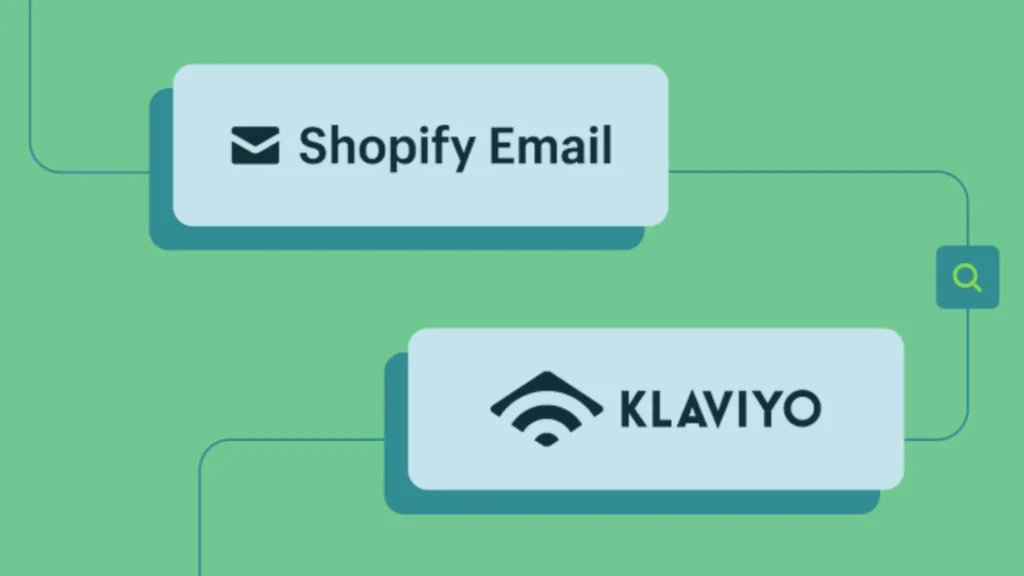
Why Connect Shopify and Klaviyo?
When Shopify and Klaviyo are connected, your customer data flows automatically between platforms. This means:
- Automatic data sync: Every purchase, abandoned cart, and customer detail syncs instantly. You don’t manually upload customer lists or worry about spreadsheet mismatches.
- Revenue-driving automations: Send automated recovery emails when someone abandons a cart, trigger post-purchase sequences, and recommend products based on what they’ve already bought.
- Segmentation at scale: Reach high-value customers differently than one-time buyers. Segment by purchase frequency, average order value, product category interest, and behavior.
- SMS alongside email: Klaviyo lets you reach customers via SMS, which has a 98% open rate compared to email’s 20-30%. This is where serious revenue comes from.
- Think of it this way: Shopify collects the customer data. Klaviyo turns that data into revenue through targeted, personalized communication.
How to Connect Klaviyo to Shopify: Step-by-Step
Step 1: Create or Access Your Klaviyo Account
If you don’t have Klaviyo yet, sign up at klaviyo.com. If you already have an account, log in and navigate to your dashboard. You’ll need admin access to your Shopify store as well, this is essential.
Step 2: Locate the Shopify Integration in Klaviyo
- In Klaviyo, click Integrations in the left sidebar
- Search for Shopify in the integration directory
- Click the Shopify integration card
- Select Connect (or Add Account if this is your first Shopify store connection)
Step 3: Authorize the Connection
You’ll be redirected to Shopify. This is where Shopify asks: “Do you want Klaviyo to access your store data?”
- Log in with your Shopify admin credentials if you’re not already logged in
- Review the permissions Klaviyo is requesting (customer data, orders, products, etc.)
- Click Install app to authorize the connection
Read More About: Klaviyo Email Marketing Agency The Real Numbers Behind This Channel
This typically takes 2-3 seconds. Shopify will redirect you back to Klaviyo with a confirmation message.
Step 4: Verify the Connection and Confirm Data Access
Back in Klaviyo, you’ll see a screen confirming that your Shopify store is now connected. Your store name should appear in the Connected Stores section.
At this point:
- Klaviyo pulls your historical customer data (purchases, email addresses, phone numbers)
- It begins syncing customer behavior in real-time
- Your product catalog imports automatically
This is complete. The hard part is done.
Step 5: Map Your Customer Data (Optional but Recommended)
Klaviyo may prompt you to map any custom fields you’ve created in Shopify to Klaviyo fields. This is optional but makes segmentation more powerful later.
For example, if you store customer VIP status or product preference information in Shopify, mapping it to Klaviyo lets you use it for segmentation.
Immediate Next Steps: What to Do Right After Connecting
Don’t just connect and walk away. The real value comes from what you do next.
1. Create Your First Automations
Abandoned cart email: This recovers 10-30% of abandoned orders for most stores. It’s money left on the table if you skip it.
- In Klaviyo, go to Automations
- Click Create Automation
- Select Abandoned Cart as the trigger
- Set it to send after 2 hours (adjust based on your product type)
- Send 2-3 follow-up emails over 3 days
Welcome series: Every new subscriber should get a sequence, not a single email.
- Create a 3-5 email welcome series
- First email: say hello and set expectations
- Second email: share your best-selling product or top resource
- Third email: offer a small incentive if relevant to your brand
- Continue with value-focused content
2. Set Up Your First Segments
Segmentation is where Klaviyo stops being “email software” and becomes a revenue tool. High-value customers: Customers with 3+ purchases or $200+ lifetime value
- Send exclusive offers
- Give early access to new products
- Reach out personally for feedback
One-time buyers: Customers with exactly 1 purchase
- Encourage a second purchase with a targeted offer
- Ask what prevented them from ordering again
- Share social proof from other customers
Cart abandoners: Customers who added items but didn’t buy
- Send a recovery email with the exact products left behind
- Address common objections in the email copy
- Offer urgency (limited stock) if genuine
These segments take 10 minutes to create and typically drive 15-40% more revenue than non-segmented campaigns.
3: Send a Test Email to Yourself
Before you launch automations for customers:
- Create a test segment with just your email address
- Send a campaign to it
- Check how it looks on mobile and desktop
- Verify links work and images load
This catches embarrassing mistakes before real customers see them.
Shopify and Klaviyo: Understanding the Full Integration
Once connected, here’s what happens behind the scenes:
- Customer data sync: Every Shopify customer automatically appears in Klaviyo. If someone buys from you, Klaviyo knows about it instantly.
- Order tracking: Klaviyo records every purchase, including products ordered, amount spent, and purchase date. This powers your segmentation.
- Email list management: Shopify’s email opt-in (the checkbox at checkout) automatically feeds opted-in customers to Klaviyo. This keeps you compliant with CAN-SPAM and GDPR.
- Product recommendations: Klaviyo integrates with Shopify’s product catalog, so you can send personalized product recommendations based on what customers have viewed or purchased.
- SMS integration: If your plan includes SMS, you can reach customers via text in addition to email, and Klaviyo syncs your SMS subscription status with Shopify.
The integration is bidirectional, meaning data flows both ways. If a customer unsubscribes from email in Klaviyo, they’ll show as unsubscribed in Shopify.
Klaviyo vs Mailchimp for Shopify: Which Platform Actually Wins?
This comparison matters because it affects your ROI directly.
Email Features
- Klaviyo: Advanced segmentation based on purchase behavior, browsing history, and custom properties. Dynamic content blocks that change based on customer data. A/B testing on all email elements.
- Mailchimp: Basic segmentation. Limited dynamic content. A/B testing on subject line and send time only.
Winner: Klaviyo. You can build far more sophisticated campaigns.
Ecommerce Automation
- Klaviyo: Built specifically for ecommerce. Native abandoned cart, post-purchase, and browse abandonment automations. Predictive analytics show which customers are most likely to purchase. Product recommendations based on purchase history.
- Mailchimp: These automations exist but feel bolted-on. Configuration is less intuitive. Predictive features are limited.
Winner: Klaviyo by a significant margin. It’s designed for stores, not general businesses.
SMS and Messaging
- Klaviyo: SMS, email, push notifications, and in-app messaging all in one platform. SMS has higher open rates than email, and Klaviyo makes it easy to coordinate SMS with email campaigns.
- Mailchimp: SMS exists but is basic. Separate tool feeling.
Winner: Klaviyo. SMS is now a core revenue channel, and Klaviyo handles it natively.
Pricing
- Klaviyo: Pay based on subscriber count (typically $20-$300/month for growing stores). Higher cost, but you own the customer data.
- Mailchimp: Free tier, then lower pricing at scale. But free tier doesn’t include automations, and plans get expensive for serious sellers.
Winner: Mailchimp if you’re just starting (free is hard to beat). Klaviyo if you’re doing meaningful revenue and want better tools.
Deliverability
- Klaviyo: Reputation IP addresses are shared with other high-quality senders. Consistently strong deliverability because they invest heavily in sender reputation.
- Mailchimp: Solid deliverability, but not as specialized for ecommerce senders.
Winner: Klaviyo, though both are reliable.
The Honest Verdict
Choose Mailchimp if: You’re brand new, want to start free, and don’t need advanced ecommerce features yet.
Choose Klaviyo if: You’re processing consistent revenue, want sophisticated segmentation, or use SMS. This is where you’ll actually make money.
Most stores that switch from Mailchimp to Klaviyo see a 20-40% increase in email revenue within 3 months, simply because the targeting is better.
Common Mistakes (And How to Avoid Them)
Mistake 1: Connecting Klaviyo But Not Setting Up Segmentation
What happens: You connect the platforms, get excited, then send one generic email to your entire list. Engagement drops. Unsubscribes increase.
Why it matters: Segmentation is what separates high-performing stores from average ones.
Fix: Spend 30 minutes setting up 4-5 core segments immediately after connecting:
- Customers who bought in the last 30 days
- First-time buyers
- High-value customers (top 20% by spend)
- At-risk customers (haven’t bought in 90+ days)
Mistake 2: Not Enabling Behavioral Tracking
Klaviyo tracks customer behavior, what they browse, what they abandon, what they buy. But you have to enable it in the integration settings.
What happens: You miss out on browse abandonment and product recommendation opportunities. Revenue sits on the table.
Fix: After connecting, go to Klaviyo’s integration settings and ensure tracking is enabled. Check that the Klaviyo tracking code is installed on your Shopify store (most of the time it’s automatic).
Mistake 3: Sending to Your Entire List Too Frequently
Generic emails to everyone burn out your list. Unsubscribe rates climb. Spam complaints increase. ISPs notice.
Fix: Send to segmented audiences at targeted frequencies:
- High-value customers: can receive weekly emails
- Regular customers: 2x per week maximum
- Inactive customers: 1x per week or less
Mistake 4: Ignoring Mobile Optimization
30-50% of emails are opened on mobile. If your emails don’t look good on phones, you’re losing revenue.
Fix: Always preview emails on mobile before sending. Use Klaviyo’s templates; they’re responsive by default. Test links to ensure they work on small screens.
Mistake 5: Setting Automations and Never Touching Them Again
Automations need monitoring and optimization. An abandoned cart email that works great in January might underperform in July due to seasonal changes.
Fix: Review your automation performance quarterly:
- Is the open rate above 25%?
- Is the click rate above 3%?
- Is the conversion rate improving or declining?
- Should you adjust timing, subject line, or content?
Small tweaks often increase revenue by 10-15%.
Step-by-Step: Setting Up Abandoned Cart Recovery
This single automation typically recovers $3,000-$10,000 per month for mid-size stores. Here’s exactly how to set it up:
- Navigate to Automations
In Klaviyo, click Automations → Create Automation → Abandoned Cart
- Set the Trigger Timing
Configure when the automation triggers:
- Trigger: “Cart was abandoned”
- Wait time: 2 hours after abandonment (adjust based on your business—luxury stores might wait 4-6 hours)
- Create Your Email Sequence
Klaviyo typically sends 3 emails:
Email 1 (2 hours after abandonment):
- Subject: Keep it simple and slightly urgent: “You left [Item Name] behind”
- Content: Show the exact items left in the cart, price, and why they should complete the purchase
- CTA: “Complete your order” button
Email 2 (1 day later):
- Subject: Add a small incentive: “Complete your order + get free shipping”
- Content: Social proof (how many people bought this product, review snippets)
- CTA: “Claim your offer” button
Email 3 (2 days later):
- Subject: Create urgency: “Last chance: [Item Name] is running low”
- Content: Urgency + guarantee + objection handling (“30-day returns, fast shipping”)
- CTA: “Don’t miss out” button
- Set the Audience Rules
Ensure the automation only goes to customers who:
- Are opted in to email
- Don’t have a custom property marking them as VIP (if you want VIP customers to receive special treatment)
- Test and Launch
Send to a segment containing just your email address. Verify each email displays correctly. Then launch the automation. Don’t turn it off. Let it run continuously.
Optimize Your Shopify and Klaviyo Integration: Advanced Tips
Once you have the basics running, here’s where you find extra revenue:
Use Predictive Analytics
Klaviyo’s predictive scoring shows which customers are most likely to purchase in the next 30 days. Target these customers with product recommendations and exclusive offers.
Implement Product-Level Segmentation
Don’t just segment by purchase amount. Segment by product category:
- Customers who bought skincare → send skincare promotions
- Customers who bought athletic wear → send athletic wear promotions
This level of specificity drives conversions.
Set Up Post-Purchase Sequences
The moment someone buys, they’re most engaged:
- Thank you email (2 hours after purchase): Confirm order, set expectations on shipping
- Feedback request (1 week after purchase): Ask them to review the product
- Cross-sell email (2 weeks after purchase): Recommend complementary products
- Re-engagement email (6-8 weeks later): Suggest they buy again, mention new products
Monitor Your Metrics
Track these for each email campaign:
- Open rate: Aim for 20%+ (if below 15%, your subject lines need work)
- Click rate: Aim for 3%+ (if below 2%, your content or CTA isn’t compelling)
- Conversion rate: Track actual sales from email (this varies by industry but 1-3% is typical)
- Unsubscribe rate: Keep below 0.5% (if higher, you’re emailing too frequently or sending irrelevant content)
Getting Maximum ROI: The Real Bottom Line
Connecting Klaviyo to Shopify is just the beginning. The ROI comes from:
- Sending segmented emails to the right people at the right time
- Automating your highest-performing campaigns so they work while you sleep
- Testing and optimizing based on real data (not guesses)
- Using SMS alongside email to hit customers across channels
- Monitoring metrics and making adjustments quarterly
Most stores see:
- 15-40% increase in email revenue in the first 90 days
- 20-50% reduction in cart abandonment losses
- 2-4x return on investment within 6 months
The platform does the heavy lifting. Your job is to set up the automations, segment your audience, and let the data guide your decisions.

Talk To Our Klaviyo Email Marketing Experts
Your email list is an asset. Right now, it’s either making you money every month, or it’s sitting idle while your competitors’ lists are working for them. A free strategy call with our Klaviyo email marketing team takes 30 minutes and gives you a clear picture of exactly what your Klaviyo account should be doing and what it’s currently missing.
Ready to Scale Your Email Revenue? Explore GHL for Your Marketing Automation
While Klaviyo and Shopify handle email marketing brilliantly, many growing brands also need a comprehensive system for SMS, landing pages, CRM, and sales workflows.
For most stores, Klaviyo alone is the better choice for email revenue. But if you’re scaling beyond email into broader marketing automation, GHL is worth evaluating.
Final Thoughts
Connecting Klaviyo to Shopify is one of the highest-ROI integrations for ecommerce businesses. It takes 10 minutes to set up and generates revenue for years. The key is to move beyond just connecting the platforms. Set up automations immediately. Segment your audience. Monitor your metrics. Test and optimize.
Do this, and you’ll recover abandoned carts, increase customer lifetime value, and build a revenue engine that runs on its own. Start today. Your first automated abandoned cart email alone will likely pay for Klaviyo’s monthly cost within a few weeks.