
Google Business Profile tips are easy to find and surprisingly hard to apply in the right order. Add photos, collect reviews, post weekly: every guide says the same things, and most Charlotte businesses I look at have done some of it and still sit below the local map pack.
Your profile is often the first thing customers see – make it count. Before anyone visits your website, they see your name, your stars, your photos and a call button. If that listing looks thin or confusing, the call goes to the next business on the list.
This guide covers six Google Business Profile tips in the order I’d tackle them for a Charlotte service business. You’ll see what to change, why it works, and which common moves to skip.
What Are the Best Google Business Profile Tips?
The best Google Business Profile tips are to choose the right primary category, keep your name, address, phone number and hours accurate, list every service you offer, add real photos, earn and answer reviews, and post regular updates. Google says local results depend on relevance, distance and prominence. These steps strengthen relevance and prominence, the two parts you can control.
Key Takeaways
Essential optimization insights to improve your local ranking and inbound lead conversions.
1. Primary Category Selection
2. Accuracy Beats Creativity
3. Real Photos vs. Stock Images
4. The Power of Reviews
5. A Complete Optimization System
6. Monthly Performance Tracking
What Do Google Business Profile Tips Actually Change?
Google describes local ranking as a mix of relevance (how well your profile matches the search), distance (how close you are to the searcher) and prominence (how well known you are, including reviews and web presence). You can’t change distance. You can improve relevance and prominence, and that’s what GBP optimization really means.
In Charlotte, this matters more than it first appears. Someone in South End searching “plumber near me” sees different results than someone in Ballantyne or Huntersville. Your profile has to be strong enough to win when you’re close, and complete enough to compete when you’re not.
Google Business Profile Pro-Tip Matrix
A quick reference on what profile elements to update and how they drive local ranking signals.
| # | What You Change | What It Influences |
|---|---|---|
| 1 | Choose the right categories Primary and secondary categories | Relevance |
| 2 | Lock down your business details Name, address, phone, hours | Trust and call accuracy |
| 3 | Fill in services and description Services list, business description | Relevance and conversion |
| 4 | Add real photos Team, work, location | Click-through and trust |
| 5 | Earn and answer reviews Review process and replies | Prominence and conversion |
| 6 | Post updates and link smartly Posts, website and booking links | Engagement and lead flow |
1. Choose the Right Primary Category
Of all the Google Business Profile tips I share with owners, this one gets the quickest results because it’s usually done wrong. Your primary category tells Google what you are. Everything else is secondary.
Be specific. “Plumber” beats “Contractor.” “Cosmetic dentist” beats “Dentist” if cosmetic work is what you want more of. Then add secondary categories for genuine services only, such as “Water heater installation service” or “Drain cleaning service.”
How to check yours: search the keyword you want to win, open the top three profiles, and look at their categories. Copy the logic, not the exact setup, and only choose categories that honestly describe your business.
2. Lock Down Your Business Details
This is the least exciting of the Google Business Profile tips, and it protects every call you’re trying to earn.
- Business name: use your real, everyday name. Adding keywords (“Best Cheap Plumber Charlotte NC”) breaks Google’s representation guidelines and can get your profile suspended.
- Address: use a real location. If you travel to customers and don’t serve them at your address, set a service area and hide the address.
- Phone: use one local number, ideally a 704 or 980 number, and make sure it matches your website.
- Hours: keep them current, including holiday hours. Nothing loses a call faster than a customer driving to a closed shop.
If your details differ across your website, Facebook and directories, clean those up too. Consistent information helps Google trust your listing.
3. Fill In Every Service and Write a Useful Description
Most profiles stop at the category. The ones that win the local map pack tend to list their services in detail.
Add each service you offer, with a short plain-English description. Use the words customers actually use. A homeowner says “my AC stopped cooling,” not “HVAC system diagnostics.”
“We repair and replace residential AC and heating systems across Charlotte, Matthews and Mint Hill, with same-day appointments on most weekdays.”
For your business description, skip the slogan. Say what you do, who you serve and where, then what makes you easy to hire. Mention Charlotte once, naturally, and stop. These Google Business Profile tips work best when the writing sounds like a person, not a keyword list.
4. Add Real Photos and Videos
People judge a business in seconds, and photos do most of that work. Upload clear images of:
- Your team in uniform or at work
- Your vehicles and storefront (so people recognize you when you arrive)
- Before-and-after job photos
- The inside of your space, if customers visit you
Skip stock photos. Customers can usually spot them, and they don’t build trust. Aim to add a few new photos each month rather than 40 in one day and none after that. Fresh, real images signal an active business, which supports your Google Maps ranking indirectly through better engagement.
5. Earn Reviews and Answer Every One
Reviews do two jobs. They support your prominence, and they decide whether a searcher picks you or the business below you.
A simple process that works:
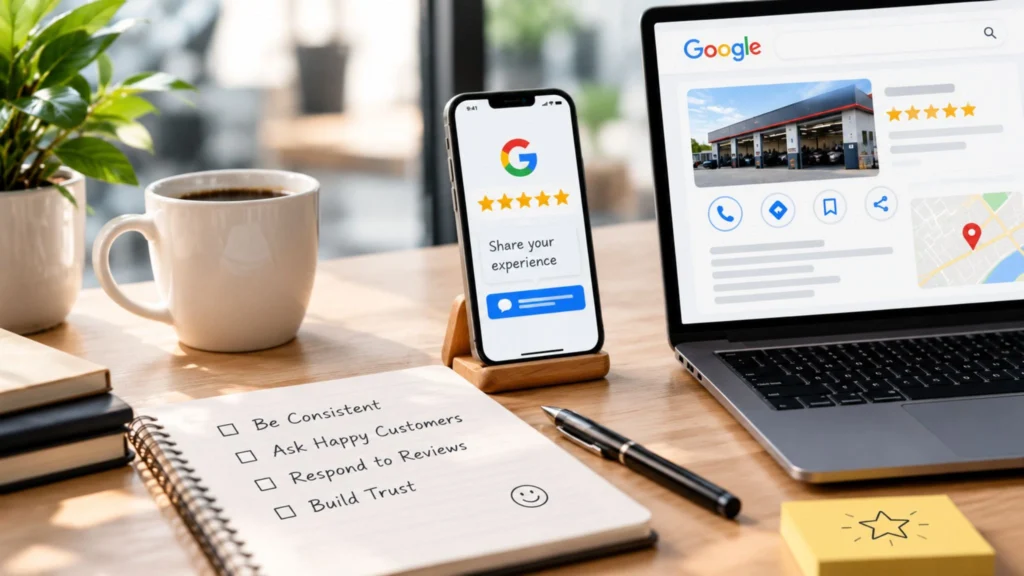
- Ask right after the job is done, while the customer is happy.
- Send your direct review link by text or email (you can copy it from your profile dashboard).
- Make it one tap. Every extra step costs you reviews.
- Reply to every review within a few days, positive or negative.
Never offer discounts or gifts in exchange for reviews, because Google’s policies prohibit it. And when a negative review arrives, reply calmly, acknowledge the issue and offer to fix it offline. Future customers read your reply as much as the complaint.
Want Review Requests to Go Out Automatically?
Asking every customer by hand is where most review plans fall apart. With GoHighLevel, you can automate review requests, missed-call text-back, and follow-ups all in one place.
Collabor8 Digital offers an exclusive 30-day free trial of GHL through our link below:
6. Post Updates and Link to a Page That Converts
Posts on your profile are a small but useful signal that your business is active. Share offers, seasonal reminders, new services or recent projects. A short post with a photo and a clear button (“Call now,” “Book”) is plenty.
Then check where your website button sends people. If it lands on your homepage, you’re making visitors hunt for what they came for. Link to the most relevant service page, make sure it loads fast on a phone, and put your phone number and a booking option at the top. If you want help building pages that turn profile visits into calls, our local SEO services cover exactly that connection.

Common Mistakes That Hold Profiles Back
Most weak profiles fail in the same few ways. Here’s what I’d fix first, and why it matters:
- Stuffing keywords into the business name. It can trigger suspension and wipes out the work you’ve done. Use your real name.
- Choosing a vague primary category. Google can’t match you to specific searches. Pick the most precise honest option.
- Using a PO box or virtual office as your address. This violates guidelines and is a common cause of suspensions.
- Ignoring reviews, especially negative ones. Silence looks like you don’t care.
- Leaving old hours or phone numbers live. You lose calls and frustrate customers.
- Creating duplicate listings. They split your reviews and confuse Google. Merge or remove them.
- Doing everything once and never again. Good Google Business Profile tips are habits, not one-time tasks.
A Simple Example
This is an illustration of optimization impact, not a client result.Charlotte HVAC Company
- Primary Category: Generic “Contractor”
- Photos: Only 6 photos from 2021
- Reviews: 3 reviews with no replies
- Hours: No weekend hours listed
Result: Searchers in Matthews and NoDa see a half-finished listing and choose the competitor with 60 reviews and recent photos.
The Simple System Applied
- Primary Category: Changed to “HVAC contractor”
- Services: Added every individual service offered
- Photos: Uploaded fresh job photos regularly
- Reviews: Automated request after each visit & replied to all
Result: None of that is complicated. It simply makes the profile look like a business worth calling. That’s the whole point of these Google Business Profile tips.
How to Track Whether It’s Working
Your profile’s performance section shows calls, direction requests and website clicks. Don’t obsess over daily changes. Check once a month and compare:
- Calls from your profile
- Direction requests (useful for shops and clinics)
- Website clicks
- Review count and average rating
If calls rise after you improve your photos, services and reviews, you’re on the right track. If nothing moves after a few months, look at your category, your reviews versus competitors’, and the page your profile links to. Tracking turns Google Business Profile tips from guesses into decisions.
Not sure what’s holding your profile back? Our Charlotte team reviews profiles every week. We can show you where you’re losing calls and which fixes to make first. See how our Charlotte SEO company approaches local visibility.
Should You Do It Yourself or Get Help?
A Google Business Profile costs nothing to set up. The real cost is time, consistency and knowing what to prioritize. Here’s how I’d decide:
Do it yourself if you have one location, a few hours a month, and a straightforward service.
Get help if you have multiple locations, a suspended or duplicated listing, strong competition in the local map pack, or no time to ask for reviews and post regularly.
If you hire someone, ask for specifics: what they’ll change, how they’ll report calls and rankings, whether you own your profile and accounts, and what the contract terms are. Avoid anyone who guarantees a #1 spot, since nobody controls Google’s results. Applying these Google Business Profile tips well is mostly steady work, and a good partner should be able to show you their process, not just promise results.
For Charlotte businesses that want that kind of hands-on support, our local SEO services in Charlotte include profile setup, GBP optimization, review systems and monthly reporting.
Final Thoughts
Strong Google Business Profile tips come down to this: be accurate, be specific, show real proof, and keep going. Choose the right category, protect your details, list your services, add genuine photos, earn reviews, and post regularly. Do those six things well and your profile starts working like a salesperson who never clocks out.
If you’d rather have experts handle it, talk to our Charlotte team. We’ll look at your profile, show you what to fix, and map out the next steps. And if you want review requests and follow-ups running on autopilot, start your 30-day free GoHighLevel trial.