
Leads going cold because of slow follow-ups? GoHighLevel helps businesses automate communication, organize leads, and stay connected with potential customers.
That’s the promise of GoHighLevel automation, and it only works if you set it up around the moments where leads actually slip away: the form submitted at 9 p.m., the call you couldn’t answer while you were on a job, the quote nobody followed up on. This guide shows seven specific ways to use GoHighLevel automation to convert more leads, how each one works, and the mistakes that make automation feel spammy instead of helpful. It’s written for Charlotte business owners, though the playbook applies anywhere.

What Is GoHighLevel Automation?
GoHighLevel automation is the set of tools inside the GoHighLevel platform (often shortened to GHL) that send messages, update records, and assign tasks automatically when something happens, such as a form submission, a missed call, or a booked appointment. Each automation is built as a workflow: a trigger starts it, and a series of actions follows.
In practice, GHL CRM automation means your contacts, conversations, pipeline, calendar, and follow-up all live in one place and talk to each other. A lead comes in, gets tagged, receives a text and email, lands in your pipeline, and creates a task for you, without anyone copying data between apps.

Why Leads Go Cold So Quickly
Most lead loss isn’t about price or product. It’s about silence. The lead filled in a form, got no reply for a day, and talked to a competitor who answered in ten minutes.
The best-known research on this is Harvard Business Review’s 2011 article, The Short Life of Online Sales Leads. Its authors audited 2,241 US companies by submitting a web lead and timing the response. Only 37% replied within an hour, and 23% never replied. Companies that contacted leads within an hour were nearly seven times as likely to qualify them as companies that waited even an hour longer. The study is more than a decade old, so treat it as direction rather than a precise number for your market, but the lesson holds: speed wins.
“You can’t answer every lead in seconds by hand while you’re also running the business. That’s the job GHL sales automation is built for.”
7 Ways GoHighLevel Automation Helps Convert More Leads
Here’s a quick map before the detail:
Where Leads Go Cold & How GoHighLevel Fixes Them
See how automated triggers turn missed opportunities into booked revenue.
| Where leads go cold | GoHighLevel automation | Typical trigger |
|---|---|---|
| Slow first reply | Instant text and email response | Form submitted |
| Unanswered calls | Missed-call text-back | Call missed |
| Quotes with no follow-up | Multi-step follow-up sequence | Pipeline stage changed |
| Leads with no owner | Pipeline stages, tags, and tasks | New contact created |
| No-shows and forgotten bookings | Reminders and no-show recovery | Appointment booked or missed |
| Happy customers who never review | Automated review requests | Job marked complete |
| Old leads gone quiet | Reactivation campaign | Tag or date-based segment |
1. Respond to New Leads Instantly
This is the highest-impact place to start with GoHighLevel automation. When someone submits a form, a workflow can send a text and an email within a minute, confirm what they asked for, offer a booking link, and notify you or your team.
GoHighLevel’s help center lists the triggers you can build from, including Form Submitted, Customer Replied, and Customer Booked Appointment. The official list of workflow triggers is worth a skim before you design anything.
Keep the first message human and useful. “Hi Maria, thanks for reaching out about your AC. Want to pick a time for us to come take a look? Here’s my calendar” beats a wall of marketing copy.
2. Text Back Missed Calls Automatically
If you work with your hands, run a clinic, or take calls in the field, you’ll miss calls. A missed-call text-back sends a message right away, something like “Sorry we missed you. How can we help? Reply here or book a time at this link.” GoHighLevel has a built-in setting for this in its phone settings.
The caller who hung up and tried the next business on the list now has a reason to wait for you. For local service companies, it’s often the easiest win on the whole list.

3. Follow Up With a Sequence That Stops When They Reply
Most sales happen after several touches, but most people stop after one. Build a short sequence in your GoHighLevel workflows, because GHL sales automation should keep follow-up consistent without sounding robotic: a text the same day, an email the next day, another text a few days later with a helpful tip or a question.
The rule that keeps it from feeling robotic: stop the sequence the moment the person replies, and alert a human to take over. Set sending hours too, so no one gets a text at midnight. For Charlotte businesses, that means setting windows in Eastern Time.
4. Organize Every Lead in a Pipeline
GoHighLevel lead management starts with a pipeline: a visual board with stages like New Lead, Contacted, Quote Sent, Booked, and Won or Lost. Each lead is a card that moves across the board, and GHL CRM automation can fire workflows whenever a card changes stage.
This is also how you stop leads falling through the cracks. Assign every new lead to an owner, create a task for the next step, and set an alert if a card sits in “Quote Sent” for three days. Good GoHighLevel lead management means nobody has to remember who to call.
5. Book Appointments and Reduce No-Shows
Let leads book directly from your calendar link instead of playing phone tag, which is another place GoHighLevel automation saves daily admin. A workflow can confirm the appointment, send reminders before it, and trigger a “sorry we missed you, want to reschedule?” message if the person doesn’t show.
For appointment-based businesses like clinics, salons, and contractors, this removes a lot of daily admin. It also gives you a clean record of who booked, who showed, and who needs a nudge.
6. Ask for Reviews Automatically
Review requests are one of the simplest GoHighLevel automation setups. When a job is marked complete, a workflow can send a text with a direct review link a day or so later, when the customer is happiest. Reviews help future customers choose you and, according to Google’s own documentation, review count and score factor into local ranking.
If you want the rest of the picture on local visibility, our local SEO services cover how reviews, your Google Business Profile, and your website work together. One rule worth following: don’t offer rewards for reviews and don’t screen who you ask, since both go against Google’s review policies.

7. Reactivate Old Leads and Past Customers
Your database is full of people who asked for a quote last year and never answered. A reactivation campaign sends a short, friendly check-in to a tagged segment: “Still thinking about that project?
This is GoHighLevel automation at its most patient. Keep it low-pressure and send it to a small group first. Replies from this kind of campaign often come from people who were interested but busy, and a human follow-up from you does the rest.
A Hypothetical Example: One Charlotte HVAC Company
This is an illustrative scenario, not a client result.Imagine an HVAC company in Charlotte with three technicians. Leads arrive from its website form, phone calls, and Google Maps. During busy weeks, calls go unanswered and quote requests wait until evening.
Using GoHighLevel automation, the owner sets up four workflows:
Instant SMS: A form submission triggers an instant text with a booking link.
Missed-Call Recovery: A missed call automatically triggers a quick text-back.
Smart Follow-Up: A quote marked “Sent” triggers a follow-up two days later unless they reply.
Automated Reviews: A completed job triggers a review request instantly.
Every lead lands in one pipeline, so the owner sees at a glance who needs a call. Nothing here is complicated. It just makes sure no one waits.
How to Build Your First GoHighLevel Workflows
If you’re new, resist the urge to automate everything on day one. This order works well:
- Pick one leak. Choose where you lose the most leads, usually first response or missed calls.
- Write the messages first. Draft the text and email in your own voice. Keep them short and specific.
- Set the trigger and actions. Form submitted, then send text, send email, add to pipeline, notify owner.
- Add a wait step and a stop rule. Space out follow-ups and end the sequence on reply.
- Set sending hours. Respect your customers’ evenings.
- Register for texting. Texting US numbers from HighLevel requires A2P 10DLC registration, which can take time, so start early.
- Test with your own number. Submit your own form, miss your own call, and check what you receive.
- Review monthly. Check replies, opt-outs, and booked appointments, then improve one thing.

Common Mistakes With GoHighLevel Automation
These are the errors that turn GoHighLevel automation from helpful into noise.
- Sending too many messages. A five-text blitz in one day feels like spam. Space touches out and stop on reply.
- No ownership. Automation that creates leads nobody picks up just moves the silence. Assign every lead to a person.
- Skipping consent and registration. Texting without permission or without A2P registration risks blocked messages and legal trouble. Set it up properly first.
- Generic, salesy copy. People ignore templates that sound like ads. Write like you’d talk to a neighbor.
- Building too much too soon. Ten half-tested workflows are worse than three good ones. Start small.
Never checking the results. If you don’t review replies and bookings, you won’t know what to fix.
Is GoHighLevel Right for Your Business?
GoHighLevel automation isn’t for everyone. It suits businesses that live on leads and conversations: local service companies, clinics, agencies, and consultants. It’s less ideal if you run an online store whose revenue depends on product-based email flows. For that, a platform like Klaviyo is often a better fit, and our guide to what a Klaviyo email marketing agency does explains why.
Two honest cautions. GoHighLevel has a learning curve, and the first workflows take patience. And costs go beyond the plan price, so check these before you commit:
Final Thought On GoHighLevel Automation
GoHighLevel automation works when you aim it at the right problem: leads that go cold because nobody replied fast enough. Start with an instant response and a missed-call text-back, since GHL sales automation pays off fastest there; add a follow-up sequence and a clear pipeline, then layer in reminders, reviews, and reactivation. Keep the messages human, respect consent, and check the results every month.
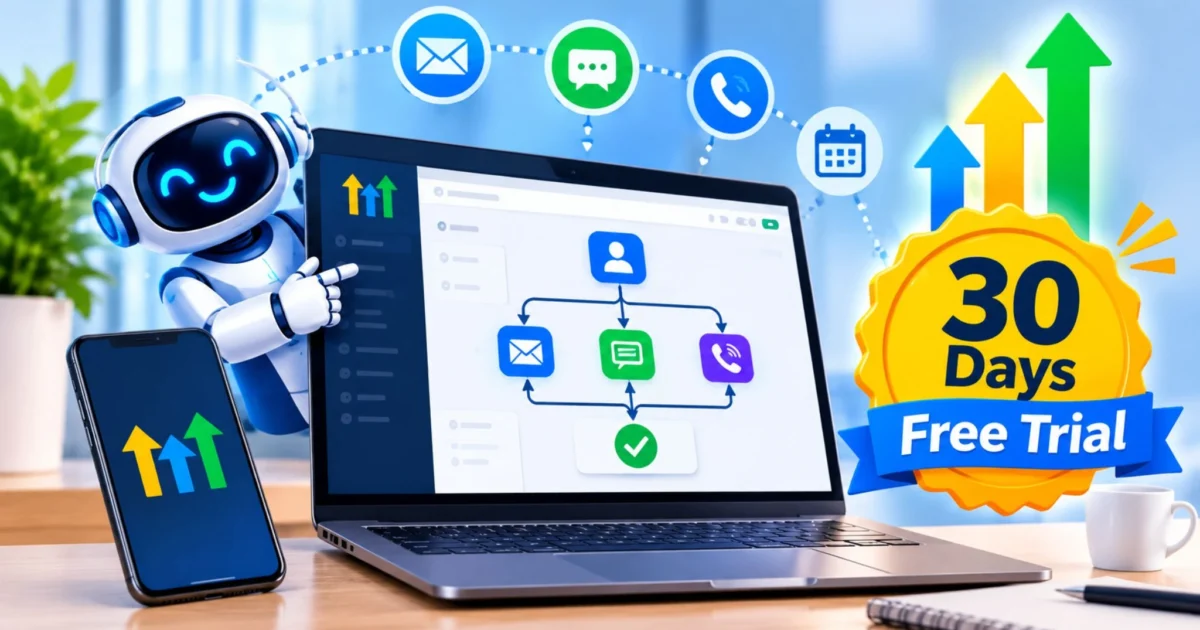
If you want to see it for yourself, start a 30-day GoHighLevel trial and build your first workflow. And if you’d like help planning it around your Charlotte business, Collabor8 Digital is ready to walk through your lead flow with you.