Shopify ROAS tracking is the one thing standing between you and actually knowing whether your ad spend is profitable. Your campaigns are running, your store is getting traffic, but your Meta dashboard shows completely different numbers from your Shopify orders. That gap is not a mystery. It is a tracking problem. And until it is fixed, every budget decision you make is based on data you simply cannot trust.
At Collabor8 Digital, we work with Shopify store owners every day who are spending real money on ads without knowing their true return. This guide shows you exactly how to fix your Shopify ROAS tracking so every dollar you spend is measured, attributed, and working as hard as possible.
What Is Shopify ROAS Tracking and Why Does It Matter?
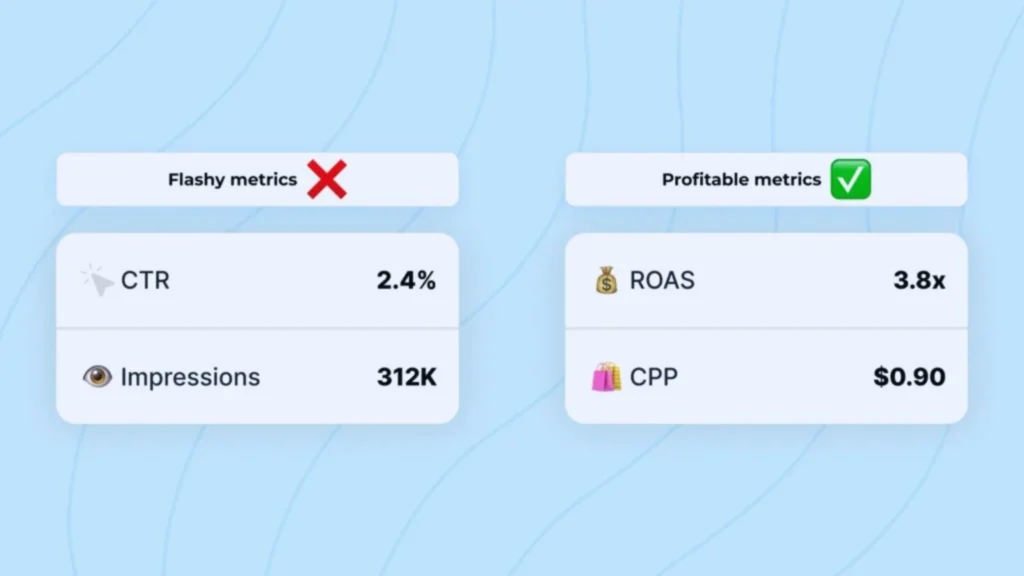
ROAS stands for Return on Ad Spend, which is how much revenue your store earns for every dollar spent on ads. A 3x ROAS means every dollar returns three in revenue. Anything below 1x means you are actively losing money on every sale.
Without accurate Shopify ROAS tracking, here is what you lose:
- True campaign performance no clarity on which ads drive real purchases versus empty clicks
- Confident scaling you cannot scale what you cannot measure accurately
- Smarter budget allocation money keeps flowing to campaigns that look good in Meta but perform poorly in Shopify
- Algorithm quality Meta needs accurate purchase signals to find more buyers like your best customers
When your Shopify ROAS tracking is broken, competitors who have it set up correctly will consistently outperform you at the exact same budget.

Get Your Shopify Meta Pixel Setup by an Expert
One free call is all it takes to discover exactly where your Shopify Meta Pixel Setup is losing you conversions. Our experts audit your full tracking stack, fix your pixel errors, set up your Conversion API correctly, and verify every funnel event from product view to purchase so every dollar your store spends on ads is working as hard as it should.
How to Set Up Shopify Facebook Pixel Integration for Accurate ROAS
The foundation of every Shopify ROAS tracking system starts with a correctly installed and verified pixel. Shopify Facebook Pixel integration connects your store to your Meta Ads account so Meta registers every real purchase.
The correct setup process:
- Go to Shopify Admin → Sales Channels → Facebook & Instagram
- Connect your Facebook Business Manager and complete business verification
- Select or create your Meta Pixel dataset inside Events Manager
- Enable Automatic Event Matching for standard eCommerce events
- Set Data Sharing to Maximum to activate server-side event sending
- Verify your domain inside Meta Business Manager under Brand Safety → Domains
- Use Meta Pixel Helper to confirm events fire correctly on every key page
- Check Events Manager to confirm ViewContent, AddToCart, InitiateCheckout, and Purchase events are arriving
Domain verification is the step most store owners skip and it is the most damaging. Without it, Meta cannot prioritize your conversion events, which directly corrupts your ROAS reporting.
How to Set Up Shopify Conversion API for Complete ROAS Data
This is what separates stores with accurate ROAS from stores that are guessing. Standard browser-based pixel tracking is blocked by iOS privacy settings and ad blockers. Your browser pixel alone is likely missing 20% to 40% of actual conversions every single day.
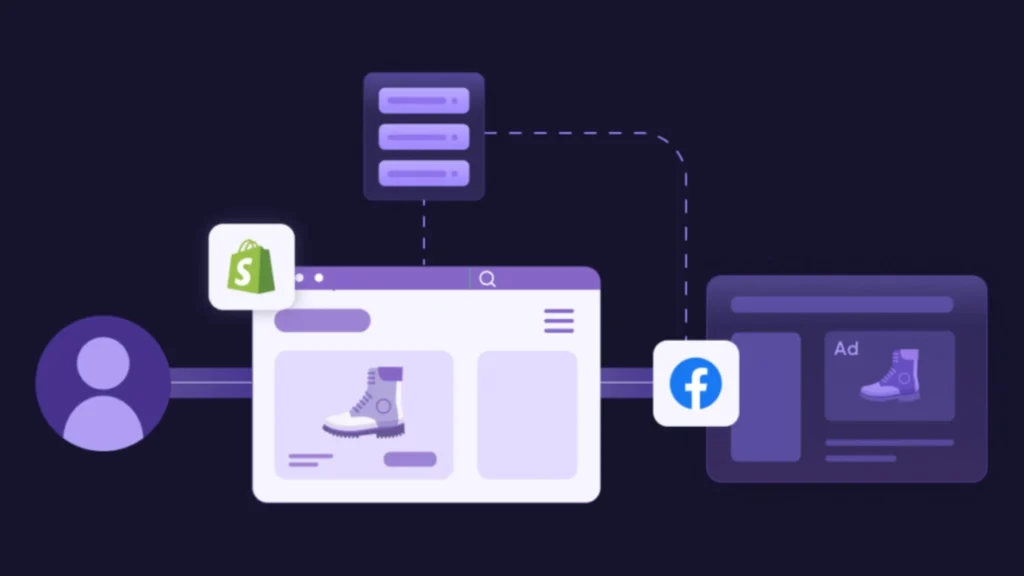
Shopify Conversion API setup sends purchase data directly from Shopify’s server to Meta bypassing the browser completely. Every conversion gets captured, your ROAS reflects reality, and Meta’s algorithm gets the full picture it needs.
How to activate Shopify Conversion API correctly:
- Set Data Sharing to Maximum inside the Facebook & Instagram sales channel
- Configure event deduplication so browser and server events do not double-count the same purchase
- Use Meta’s Test Events tool to confirm both event types arrive correctly
- Monitor your Event Match Quality score, aim for 6 or higher
- Check your redundancy rate in Events Manager to confirm server-side events are consistent
Without this running correctly, your Shopify ROAS data will always be incomplete. Our Performance Marketing team sets up and verifies this full tracking stack for store owners who need numbers they can confidently scale from.
Also useful: Read our complete guide on Shopify Meta Pixel Setup: How to Do It Right, covering every step from pixel installation to Conversion API verification.
Why Is Your Shopify Meta Ads Tracking Showing the Wrong ROAS?
If your Meta dashboard and Shopify orders never match, here are the most common reasons:
- Duplicate pixel firing Pixel installed in both the sales channel and manually in theme code, firing every purchase event twice
- Missing Conversion API Browser-only tracking loses iOS and ad-blocked conversions, making real ROAS appear lower than it is
- No domain verification. An unverified domain causes misattribution across campaigns
- UTM parameter gaps Traffic without consistent UTMs cannot be correctly attributed
- Multiple old pixels Previous agency pixels, and app-installed pixels all firing simultaneously corrupt your data
Any one of these issues alone damages your Shopify Meta Ads tracking. When more than one is present, which is common in self-managed setups your ROAS becomes essentially meaningless.
What Healthy Shopify ROAS Benchmarks Look Like
Once your tracking is accurate, read your numbers like this:
- Below 1x Losing money. Pause and audit tracking and targeting immediately.
- 1x to 2x Breaking even. Needs optimization before scaling.
- 2x to 4x Healthy range for most Shopify stores, depending on margins.
- 4x and above Strong performance. Scale carefully and monitor audience saturation.
For store owners who want ROAS connected to a full customer lifecycle strategy, our Klaviyo Email Marketing service builds automated retention sequences that increase your effective ROAS by turning one-time buyers into repeat customers without spending another dollar on ads.
Book a Free Shopify ROAS Tracking Audit Today
One free call is all it takes to find exactly where your Shopify ROAS tracking is breaking. Our team at Collabor8 Digital audits your complete setup, closes every gap between your Meta data and Shopify orders, and rebuilds your tracking so every scaling decision is backed by data you fully trust.
- Call Us: +1 207 280 8288
- Visit Us: collabor8digital.io
- Location: 5427 N Sharon Amity Rd, Suite 1A, Charlotte, NC 28215
Book Your Free Shopify ROAS Audit Today
Shopify ROAS tracking is the decision-making engine behind every dollar you spend on paid ads. Without accurate Shopify Facebook Pixel integration, proper Shopify Conversion API setup, and reliable Shopify Meta Ads tracking, your ROAS is a guess. And building a scaling strategy on a guess is how profitable stores stop being profitable.
Get the tracking right. Get the data clean. Scale with confidence. That is what we do at Collabor8 Digital.