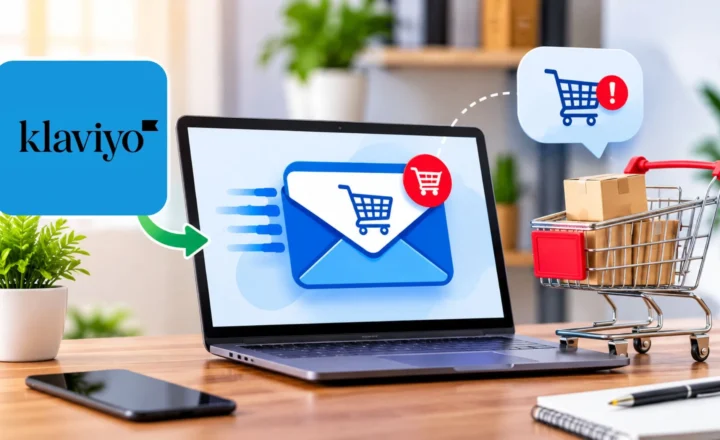

Many stores lose sales daily because 3 automated emails are missing. They’re the welcome series that greets a new subscriber, the reminder that reaches someone who left a full cart behind, and the follow-up that goes out after a first purchase. Without them, every shopper who isn’t ready to buy right now simply disappears.
That’s the case for building proper Klaviyo email flows. A flow keeps working while you sleep, pack orders, or run a pop-up in South End. This guide covers the five Klaviyo email flows every online store needs, in the order I’d build them, with triggers, timing, content ideas, and the mistakes that quietly cost stores money. It’s written for ecommerce owners, including the Charlotte boutiques and direct-to-consumer brands selling online, who want email to pay for itself.

What Are Klaviyo Email Flows?
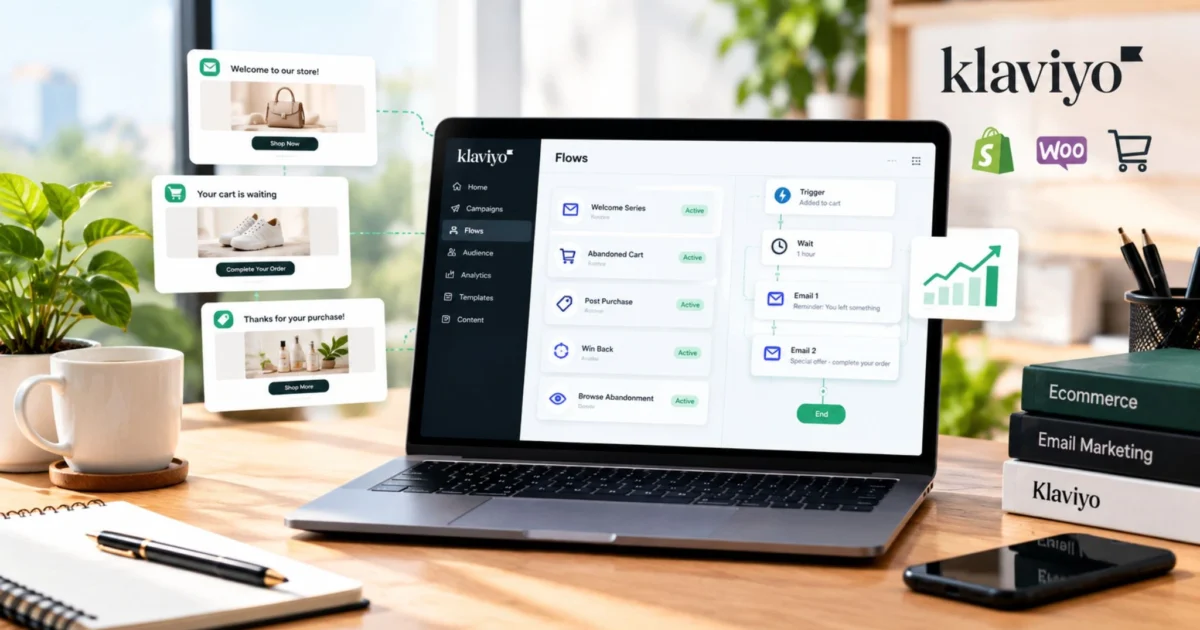
Klaviyo email flows are automated message sequences that send when a shopper takes a specific action, such as subscribing, abandoning a cart, or placing an order. A campaign goes to a list on a date you choose. A flow runs on its own, one person at a time, whenever its trigger fires.
That difference is the heart of ecommerce email automation. You set the logic once, and the right message reaches the right shopper at the right moment, every day. These are the five flows, in build order:
Essential Email Flows
The first three are the “3 missing emails” from the opening. In the Klaviyo accounts I look at, they’re the gaps I see most often. Browse abandonment and win-back are the next layer once those are live.
Why Klaviyo Email Flows Out-Earn Campaigns
Most stores put their energy into campaigns because campaigns are visible. You write, schedule, and send. The data says the quiet automations do more of the work.
According to Klaviyo’s 2026 email benchmarks, drawn from more than 183,000 customers, campaigns account for about 95% of send volume, while flows generate nearly 41% of email revenue from just 5.3% of sends. Revenue per recipient for flows runs close to 18 times higher than for campaigns. The same data shows nearly half of flow revenue comes from new buyers, which is why welcome, browse, and cart flows matter so much for first purchases.
The reason is timing. A shopper who just joined your list or just left a cart is paying attention right now. A flow meets them there, while a campaign sent next Thursday meets them whenever.
There’s real money sitting in unfinished purchases, too. The Baymard Institute puts the average documented cart abandonment rate at roughly 70% across 50 studies. Baymard is also clear that much of that is people browsing or comparing, so you won’t recover all of it. The point is that a large pool of high-intent shoppers leaves every day, and without Klaviyo email flows nobody follows up.
The 5 Klaviyo Email Flows Every Online Store Needs
Here’s a quick reference for all five Klaviyo email flows before the detail. Timings are starting points to test against your own data, not rules.
Core Email Flows Overview
| Flow | Trigger | Starting cadence | Main job |
|---|---|---|---|
| Welcome series | Subscribes to your list | 3-4 emails over about a week | Turn subscribers into first-time buyers |
| Abandoned cart | Starts checkout or adds to cart | 2-3 emails over about 3 days | Recover almost-finished purchases |
| Post-purchase | Places an order | 3-4 emails over several weeks | Build trust, reviews, and a second order |
| Browse abandonment | Views products without adding to cart | 1-2 emails | Re-engage casual interest |
| Win-back | Hasn’t ordered within their usual cycle | 2-3 emails | Bring lapsed customers back |
Flow 1: The Klaviyo Welcome Series
A Klaviyo welcome series introduces your brand to a new subscriber and moves them toward a first order. It triggers when someone is added to your list, and Klaviyo’s help documentation notes each person can only enter a welcome flow once, so it’s worth getting right. Klaviyo also recommends separate welcome flows for email and SMS, since people opt in to each on their own.
A sound starting structure:
- Email 1, sent right away: Deliver whatever you promised at signup, introduce the brand in a few lines, and point to your best sellers.
- Email 2, about a day later: Tell your story and the problem you solve. Show a few reviews.
- Email 3, about three days later: Answer the questions that stop first orders, like shipping times, returns, and sizing.
- Email 4, about a week later: Make the offer, if you have one, with a clear reason to act now.
“A Charlotte boutique that sells candles and home goods could use the first email to share its three best sellers, the second to explain how it sources and pours its candles, and the third to explain local pickup and shipping. Segmenting by who chose pickup adds a fourth message about in-store events.”
Flow 2: The Klaviyo Abandoned Cart Flow
A Klaviyo abandoned cart flow messages shoppers who showed buying intent and didn’t finish. By default, Klaviyo’s help documentation explains that the most common version triggers on Started Checkout, which fires once someone moves past the first step of checkout. An Added to Cart trigger catches more casual shoppers earlier, but it needs behavioral tracking enabled in your store integration.
Three emails over about three days is a solid starting point:
- Email 1, about an hour later: A plain reminder with the exact items, photos, and a one-click path back to checkout. No pressure.
- Email 2, about a day later: Address the likely hesitation. That’s usually shipping cost, delivery time, returns, or sizing.
- Email 3, two to three days later: Social proof or urgency, such as low stock if it’s true. If you’re going to offer an incentive, this is the place.
The filter that matters most: exclude anyone who has placed an order since entering the flow. Klaviyo’s own guidance uses a “placed order zero times since starting this flow” condition for exactly this reason. Skipping it is the most common way stores annoy happy customers.
Flow 3: The Post-Purchase Flow
The first order is where the relationship starts, and many stores go quiet right when attention is highest. Of all the Klaviyo email flows, this is the one that most directly builds repeat customers. A post-purchase flow triggers when someone places an order and does four jobs: confirm they made a good choice, help them use what they bought, ask for a review, and introduce what to buy next.
- Right after purchase: A thank-you that sets expectations on shipping and care. Keep it separate from your order confirmation.
- A few days after delivery: Usage tips, setup help, or a short how-to.
- Around two weeks after delivery: A review request. Time it after the customer has had the product long enough to form an opinion.
- Three to four weeks out: A recommendation based on what they bought, such as refills, accessories, or a complementary item.
A review in this flow does double duty. It builds social proof for your product pages, and the same reviews can strengthen your abandoned cart emails.

Flow 4: The Browse Abandonment Flow
Browse abandonment reaches people who viewed products but never added anything to a cart. The intent is weaker than cart abandonment, so the touch should be lighter: one or two emails that show what they looked at and a few related items.
Set clear filters so this flow doesn’t stack on top of the cart flow. Someone who has started checkout should leave the browse flow. And keep volume modest. If a shopper gets a browse email, a cart email, and a campaign in the same day, you’re training them to unsubscribe.
Flow 5: The Win-Back Flow
A win-back flow targets customers who bought before and haven’t returned. The trick is defining “lapsed” by your store’s real repurchase cycle, not a generic number. A shop selling consumables might wait 60 days, while a store selling furniture might wait a year.
Send two or three emails: a “we’ve missed you” message with what’s new, a product-focused email that reminds them why they bought, and a final offer if your margins allow. If they still don’t engage, stop. Of all your Klaviyo email flows, win-back deserves the most restraint, because continuing to send to people who never open hurts deliverability for your whole list.
Where GoHighLevel Fits Alongside Klaviyo
Klaviyo is built for the shopper side of the business. Some online brands also take consultation requests, custom order inquiries, or phone calls, and those leads need a different kind of follow-up. A platform like GoHighLevel can capture those inquiries in one place, text back missed calls, and book appointments while Klaviyo email flows keep nurturing your store customers. See how GoHighLevel works and reach out if you’d like help connecting the two.
How to Build Your Klaviyo Email Flows in the Right Order
If you’re starting from nothing, this sequence keeps you from getting overwhelmed:
- Connect your store and check tracking. Confirm that events like Started Checkout and Placed Order are flowing into Klaviyo before you build anything. If you want an Added to Cart trigger, enable behavioral tracking.
- Launch the welcome series first. Every new subscriber from today forward starts earning for you.
- Add the abandoned cart flow next. It’s usually the fastest payback on the list.
- Build the post-purchase flow. This is where reviews and repeat orders come from.
- Layer in browse abandonment and win-back. Add them once the first three are stable.
- Set filters and send limits. Use flow filters and Klaviyo’s Smart Sending so no one gets stacked messages.
- Test before you turn anything live. Send test emails to yourself on a phone, click every link, and confirm the right products appear.
- Review monthly. Check revenue per recipient for each flow and improve the weakest one first.
A Hypothetical Example: What One Flow Could Recover
This is illustrative arithmetic, not a client result or a benchmark. Say a Charlotte online boutique sees 500 checkouts started and abandoned in a month, with an average order value of $80. If its Klaviyo abandoned cart flow brought back 5% of them, that’s 25 orders, or $2,000 in revenue from emails that run automatically.
Your numbers will differ. The useful exercise is to pull your own abandoned checkout count and average order value from your store, then compare them to the recovery rate shown in your flow analytics. That tells you what fixing this one flow is worth before you invest in any other Klaviyo email flows.
Common Mistakes With Klaviyo Email Flows
These come up in almost every account where Klaviyo email flows aren’t earning what they should.
- No flow filters. Customers who already bought keep receiving cart reminders. It looks careless and trains people to ignore you. Add an exclusion for anyone who has placed an order since entering the flow.
- Discounting in the first email. Offering 15% off right away teaches shoppers to abandon on purpose. Lead with help and reassurance, and bring in an incentive later if you need one.
- Flows that overlap. A new subscriber who also browsed and abandoned a cart can end up in three sequences at once. Use filters and Smart Sending to keep the experience sane.
- Set it and forget it. Products change, prices change, and links break. Review each flow monthly and update the content.
- Missing event tracking. If Added to Cart isn’t being tracked, a flow built on it will never fire. Check the integration settings before you assume the flow is broken.
- Never testing on mobile. Many people read email on a phone. A button that’s hard to tap costs you clicks you’ve already paid to earn.

How to Choose Help With Ecommerce Email Automation
Many owners can build their first Klaviyo email flows themselves using Klaviyo’s pre-built flow library. Outside help makes sense when you have a large list, many products, or no time to review performance every month.
If you’re evaluating an agency, these questions separate real flow builders from template sellers:
- Do they build flows first and campaigns second?
- Can they show revenue per recipient by flow, not just open rates?
- Will you own your Klaviyo account and data? You should.
- How do they handle segmentation and flow filters?
- Do they explain their testing process and monthly review cadence?
- Is the contract flexible enough to leave if results stall?
Cost depends on how many flows you need, the size of your list, how much design and copywriting is required, and whether campaigns are included. Your Klaviyo subscription is a separate cost, so check Klaviyo’s current pricing page for your list size. Ask any agency for a written scope so you know exactly what you’re paying for.
If you’d like a team to audit or build these flows, see how our Klaviyo email marketing agency approaches it, or read our guide to email marketing in Charlotte for a broader look at what works locally.
Final Thought
Klaviyo email flows work because they meet shoppers at the moment they’re paying attention. Build the welcome series, the abandoned cart reminder, and the post-purchase follow-up first. Add browse abandonment and win-back once those are stable, then review every flow monthly.
You don’t need a huge list or a huge budget to start. You need the right emails firing at the right times, and the discipline to check them. If you’d like help getting there, Collabor8 Digital builds and manages ecommerce email automation for Charlotte brands and online stores, and we’re happy to walk through what your account needs.